Intake

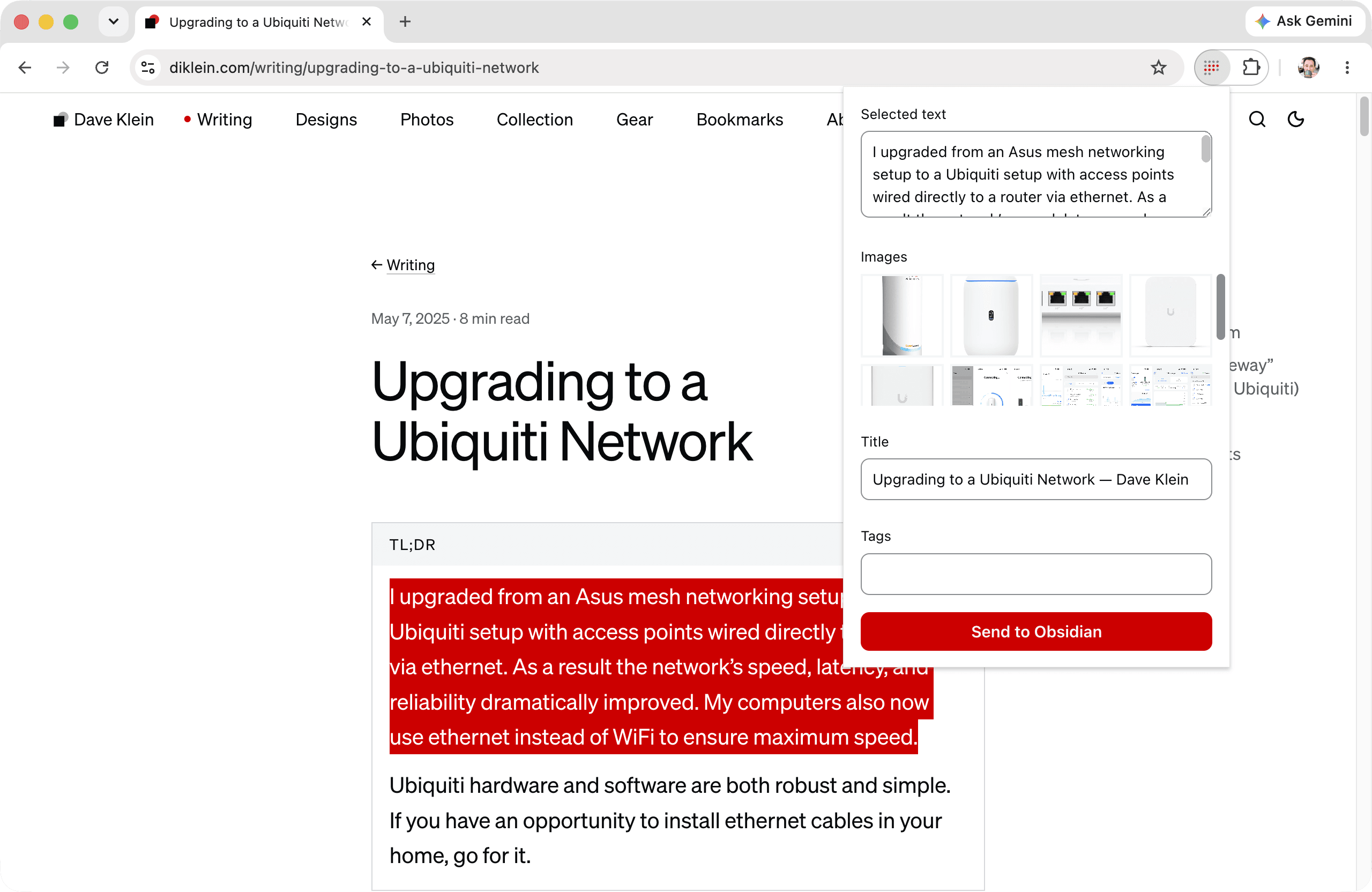
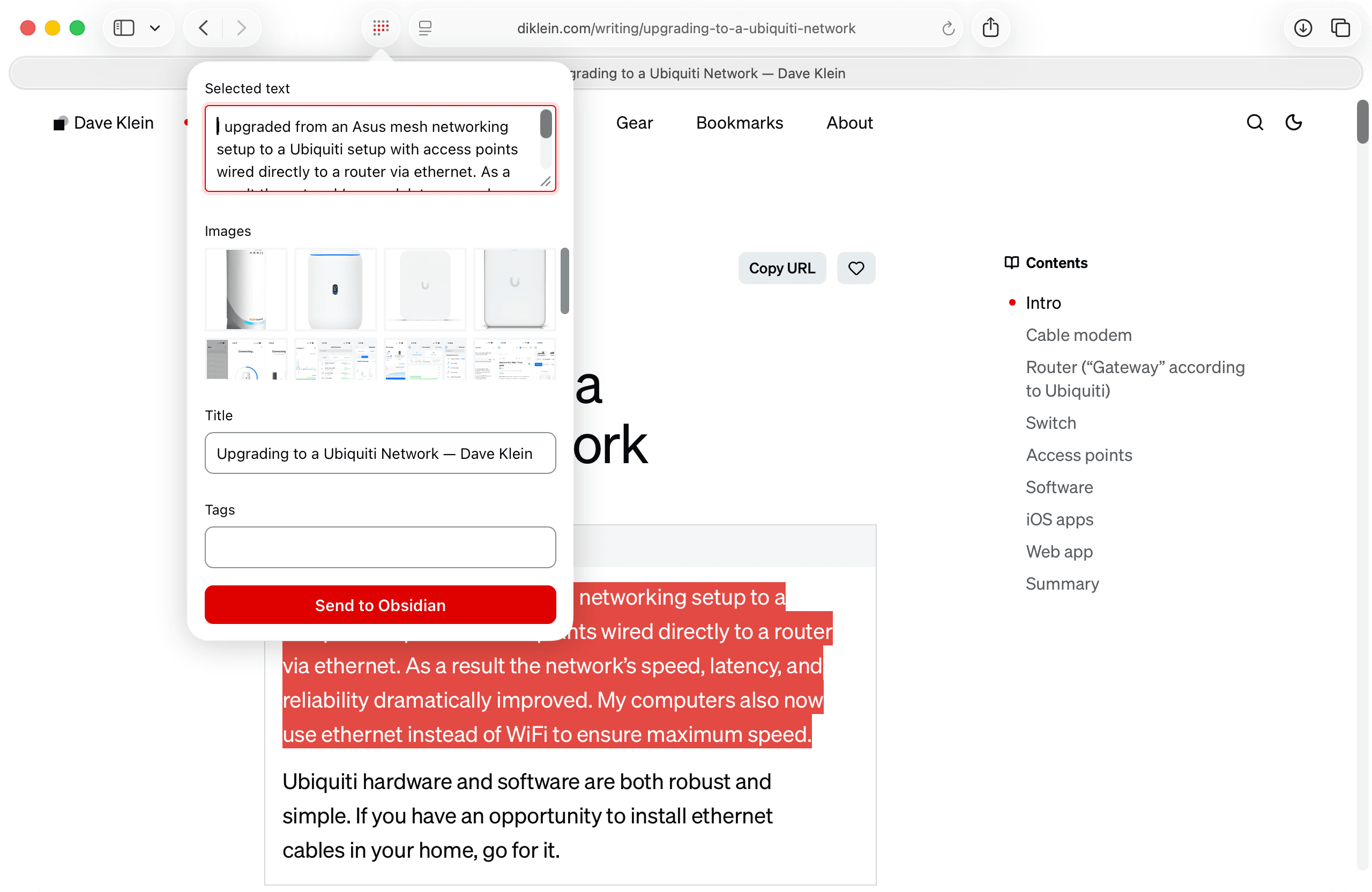
Intake saves what you find on the web directly into your Obsidian vault. Click the toolbar icon and the extension has already read the page: your selected text is prefilled, every image waits in a grid, and both title and tags are ready to be filled out. One click creates a Markdown file in your vault. No copy and paste, no downloads folder, no cleanup.
What you get:
- Selected text captured as a quote with a source link
- Images from the page saved as attachments
- Full articles extracted to clean Markdown with Defuddle
- Templates for file names, folders, and frontmatter so captures arrive shaped the way your vault expects
- The new note opens in Obsidian the moment it lands
What you don’t get:
- An account to create
- A server or sync service in the middle
- Analytics, tracking, or anything else phoning home
Read the story behind it in Introducing Intake for Obsidian, or install it from the Mac App Store and the Chrome Web Store.
Privacy policy
Intake does not collect, transmit, or store any data about its users. There is no account, no server, and no analytics. The extension reads the content of a page only when you invoke it, and everything it captures is written only to the vault folder on your machine. Its only network request is fetching images you explicitly chose so they can be saved into your vault.
This policy is effective as of August 5, 2026. Support? Questions? Contact me.